


Instruction
Please read the following instructions carefully before use. Proper setup and maintenance will ensure the best performance and a safe experience.
On iOS devices/Android devices, go to the App Store/Google Play and search for “bebird”, or scan the QR code provided in the user manual.
- Power on your Bebird device.
- Ensure your local network is enabled.
- Connect the device by WiFi (“WiFi name: bebird-model-XXXXXX”).
- Back to the App to operate the product.
- Stop using if ear spoon is loose or damaged.
- Replace ear spoons every 1–3 months to avoid aging and potential injury.
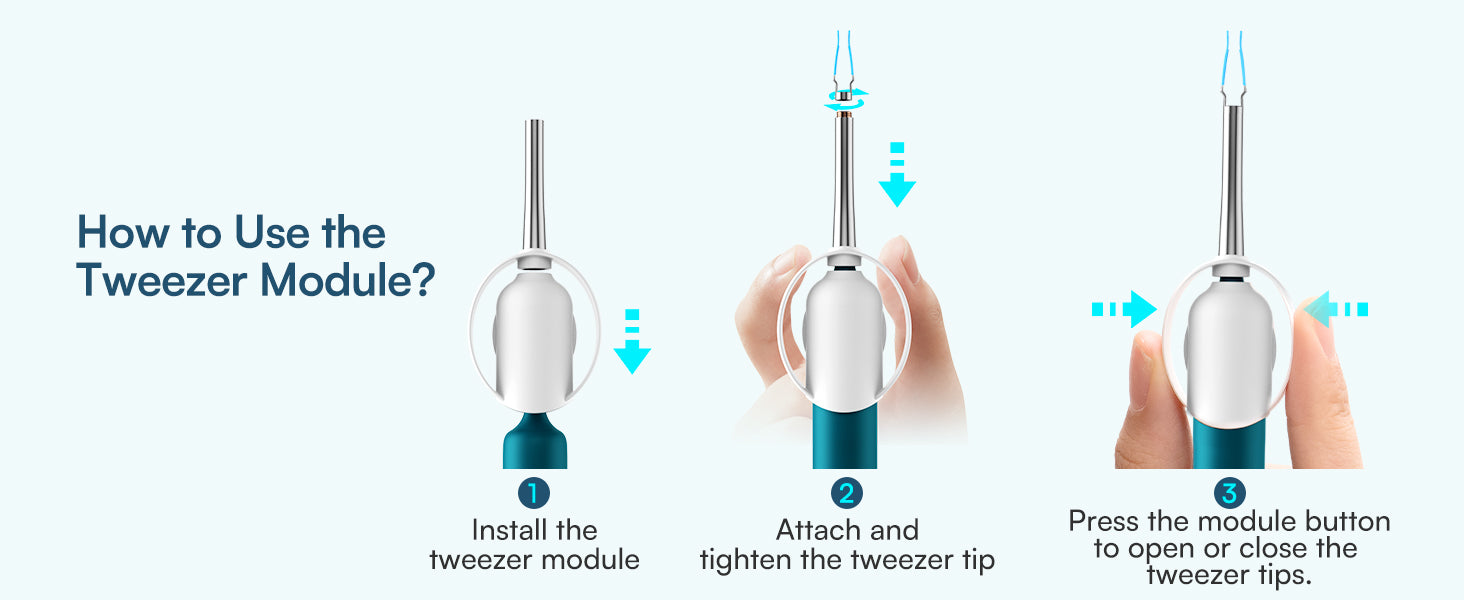
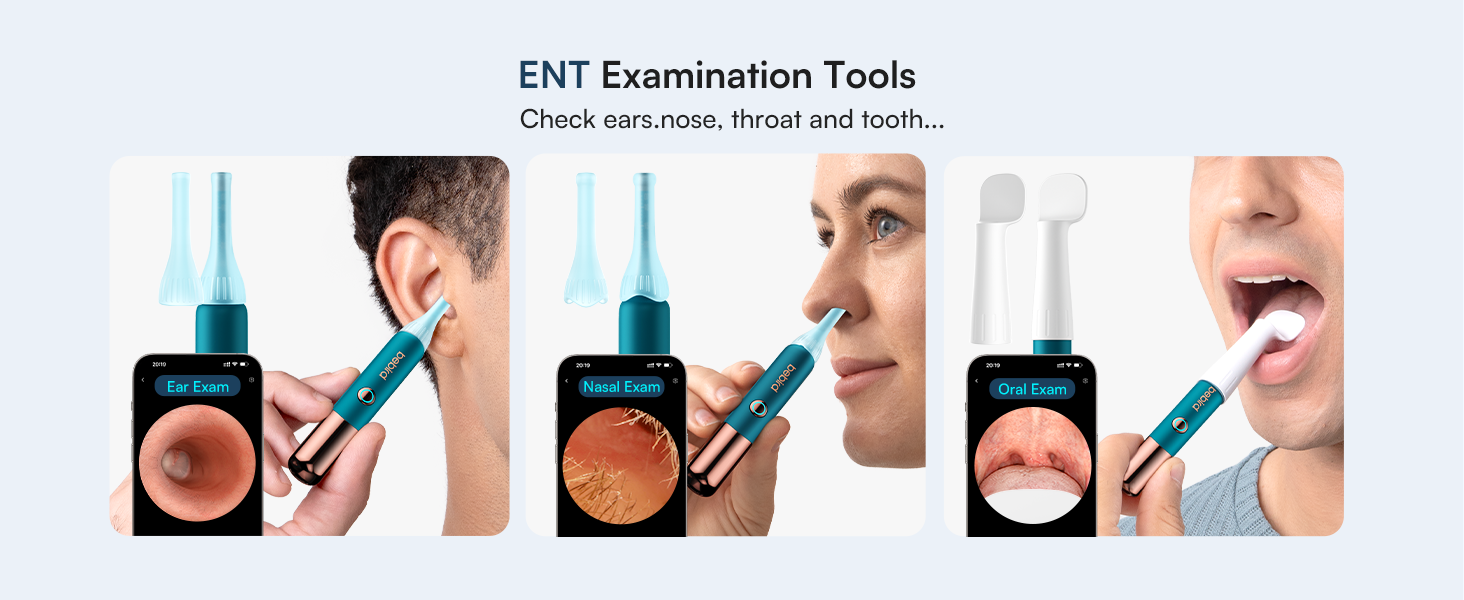
- Choose attachments according to need (round head, ring tip, tweezers, etc.).
- If the device does not power on, use the original charger and charge for one hour.
- If there is no camera image, restart the device, reconnect to Wi-Fi, and restart the app.
- If the app crashes, delete and reinstall it using the QR code to get the latest version.
- For unstable Wi-Fi, restart the device and reconnect through the app.
- If the image is blurry or the lens is dirty, clean it gently with an alcohol swab.
- For wrong orientation, switch the left/right ear mode in the app or adjust the clamp tool icon.
If problems persist, please contact Bebird Customer Support for further help.
- Clean the lens gently with professional alcohol swabs.
- Do not operate while moving; use in a stable environment.
- Keep device away from water, direct sunlight, or high temperatures.
- The built-in lithium battery should not be left uncharged for long periods; recharge monthly.
- A mild temperature increase during use (35–45°C) is normal.
- Always ensure adult supervision when used by children.
Subscribe to our emails
Sign up and enjoy 10% off — plus early access to new launches and exclusive deals.


